![vetster-logo-light-1.png]](https://support.vetster.com/hs-fs/hubfs/vetster-logo-light-1.png?height=40&name=vetster-logo-light-1.png)
Adding individual appointments to your personal calendar is simple! Follow the steps below:
-
Log in to your Vetster account
-
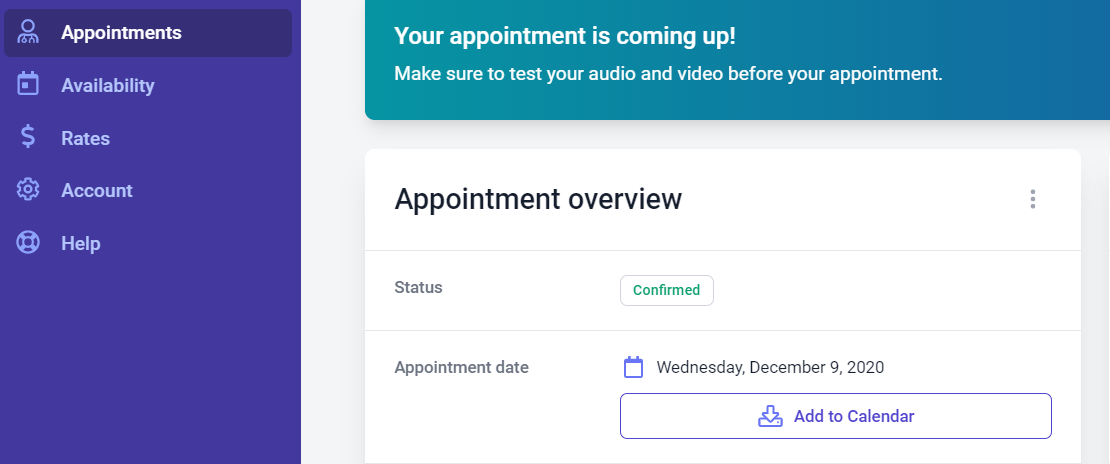
From the left-hand side menu select Appointments
-
Select an upcoming appointment, and click the Add to Calendar button in the Appointment overview section: