![vetster-logo-light-1.png]](https://support.vetster.com/hs-fs/hubfs/vetster-logo-light-1.png?height=40&name=vetster-logo-light-1.png)
To update your payment method follow the steps below:
-
Log into your Vetster account
-
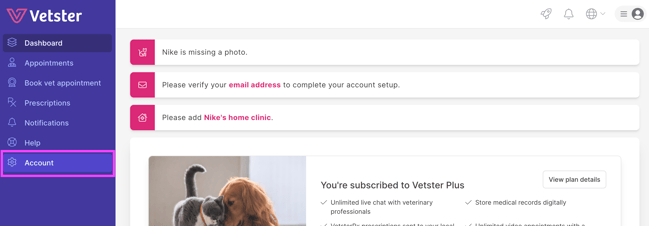
From the left side menu select Account
-
Under 'Account settings' select Payments
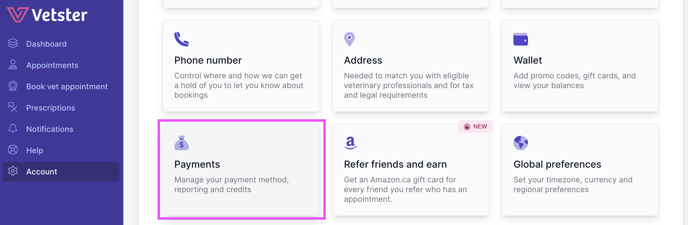
Here you can manage your payment methods and view your transaction history. Vetster accepts all major credit cards. If you need any assistance here, please reach out to our Customer Experience team!